

Your solar monitoring app should tell you whether your system is working and where its electricity is going. For a residential solar system, the most useful comparison starts with the inverter, the monitoring hardware and the information you want to see.
This article compares SEMS Portal and SEMS+, Solar.web and iSolarCloud. It covers their strengths, setup requirements and limits, so you can ask better questions before installation or get more from the system you already own.
Why your solar monitoring app actually matters
Monitoring helps you spot changes in generation and decide when to run appliances. The Australian Government’s solar monitoring guide explains that the information available depends on the inverter, battery and any additional metering.
A useful dashboard can help you investigate:
- A change in daily generation that needs closer attention.
- An inverter fault notification or missing data.
- Electricity exported while you could be running a flexible household load.
- Battery charging and discharging that differs from the settings agreed at installation.
Generation is how much electricity the panels produce. Consumption is how much the house uses, while grid import and export are the flows through your connection to the network.
Check the hardware first. A generation-only installation cannot give you a complete household energy balance just because you download another app. Ask whether compatible consumption metering is fitted and commissioned.
Your inverter normally determines its manufacturer monitoring platform. If you already have a working system, start by checking its metering and account access before considering replacement equipment.
SEMS Portal and SEMS+ apps
For a GoodWe inverter, check whether your installation uses SEMS Portal or SEMS+. The manufacturer publishes SEMS+ downloads and app guidance; use the instructions for your actual platform rather than assuming the screens match an older tutorial.
Monitoring and account access
- SEMS Portal provides plant and device monitoring, historical operating information and alarm records.
- The energy flow display can bring solar, grid and battery information together where the installed equipment supplies that data.
- The platform distinguishes end-user, administrator, technician and visitor access.
The SEMS Portal user manual documents monitoring functions and account privileges. Ask your installer to arrange suitable access for another household member, rather than sharing your password.
Check your SEMS setup
- Confirm which app and login your installer has assigned to the plant.
- Check the last upload time before treating a power reading as live.
- Ask which meter or current sensors supply household consumption data.
- If overnight data is missing, have the installer check the equipment and logging configuration.
Changing apps will not fix a weak connection between the inverter and router. If that is the problem, connecting your GoodWe inverter to WiFi is the next step; match the instructions to the communication module you have.
Fronius Solar.web app
A Fronius inverter uses Solar.web for monitoring. The platform offers basic monitoring and a paid Premium subscription, with extra analysis and reporting tools.
Basic monitoring and Premium
- Generation history helps you compare performance over time.
- Consumption views are available with a compatible Smart Meter installed at the feed-in point.
- Premium adds functions such as production forecasts and more detailed analysis.
The manufacturer support guide sets out the requirements and distinguishes owner, supervisor and guest permissions. Some Premium features are available through the browser rather than the app.
Metering and app access
- Confirm that the quote includes consumption metering if you want household usage figures.
- Try the basic service before deciding whether the additional Premium tools are useful to you.
- Ask for a demonstration of any battery or charger function on the proposed equipment.
Missing consumption? In the app, a blank consumption view may mean a meter is absent, hidden or not communicating. Ask the installer to check the configuration before paying for a subscription upgrade.
Sungrow iSolarCloud app
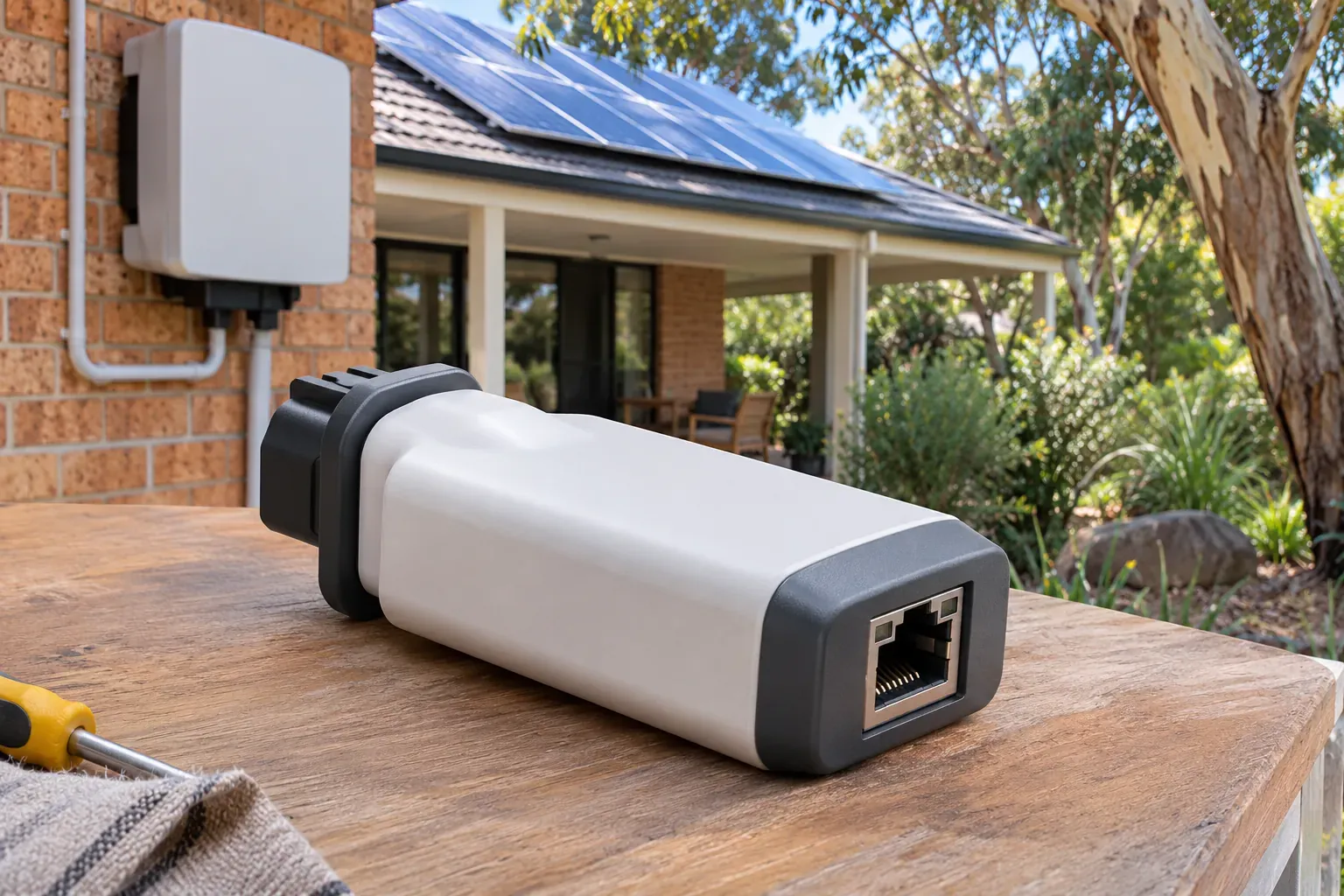
For a Sungrow inverter, iSolarCloud provides the monitoring interface. Connection hardware depends on the model; do not assume that every newer inverter has WiFi built into the inverter itself.
Connection and operating data
- The dashboard brings plant information and operating data into one place.
- A correctly commissioned system lets the installer investigate communication problems through the monitoring platform.
- Compatible communication modules provide a route between the equipment and the cloud service.
The WiNet-S/S2 communication module manual documents separate module hardware and its configuration. Ask which module your quote includes and whether WiFi or a wired connection suits its location.
Metering, tariffs and controls
- Consumption readings depend on suitable metering, even with a hybrid inverter.
- Battery settings depend on the inverter, firmware, account permissions and installation.
- Check which tariff fields your account supports before relying on its dollar estimates.
A dynamic-tariff update announced for Europe shows why regional availability matters. Confirm Australian support with your installer before relying on those controls.
Solar monitoring apps head to head
The table compares practical checks rather than assigning a universal winner. A feature shown in an app demonstration may require hardware or permissions that your installation does not have.
| What to compare | SEMS Portal / SEMS+ | Solar.web | iSolarCloud |
|---|---|---|---|
| Starting point | Confirm the app assigned to your plant | Basic monitoring, with optional Premium | Confirm the plant and account access |
| Household consumption | Check compatible metering and configuration | Requires compatible Smart Meter data | Check compatible metering and configuration |
| History and fresh readings | Check upload time and available history | Check upload time and app/browser features | Check upload time and available history |
| Access for another person | Ask about visitor access and account privileges | Owner, supervisor and guest roles | Ask the installer to confirm available permissions |
| Battery controls | Confirm on the exact system | Confirm hardware, firmware and permissions | Confirm hardware, firmware and permissions |
| Costs to clarify | Metering, connection hardware and any service charges | Metering and optional Premium subscription | Metering, connection hardware and any service charges |
Keep equipment costs separate from app costs when comparing quotes. A free download does not tell you whether a meter, communication module or paid service is included.
Which solar monitoring app suits your setup
Your monitoring app is usually tied to the inverter brand, so include monitoring in the equipment discussion. Ask the installer to show you the information you will actually receive.
- If you only want to check generation, start with the manufacturer’s monitoring service.
- If you want to shift appliance use into solar hours, prioritise consumption and grid-flow metering.
- If you are considering home solar batteries for evening use, ask how the app will show charging, discharge and remaining energy.
- If several people need access, demonstrate separate accounts and permissions at handover.
At SolaXs, we can discuss the inverter and monitoring setup together. For households planning solar installation in Port Macquarie, include the inverter location and your router’s location in that conversation.
Before your installer leaves, open the app on your own phone. Check that you can see your plant, understand the units and find the contact details for support.
Solar monitoring handover checklist
Use this checklist at installation handover to make sure your monitoring is properly set up from the start.
- Account ownership. Confirm that the plant is registered under your email address and that you hold the owner-level login.
- Household member access. Ask the installer to create a separate viewer or guest account for anyone else who wants to check the system.
- Consumption metering. Open the app and confirm you can see household consumption, not just generation. If the field is blank, ask what hardware is needed.
- Units and language. Check that the app displays kilowatt-hours (kWh) and that currency and date formats are set to Australian conventions.
- Router location. Confirm the inverter has a reliable connection from its installed location. If the signal is marginal, ask about a wired alternative or a WiFi extender before the installer leaves.
- Alert settings. Set up fault and offline notifications so they come to you, not only to the installer.
- Support contact. Save the installer’s support number and the manufacturer’s app-support link in the same place as your login details.
Business premises? Commercial installations often need multi-user access and longer data retention. SolaXs also provides commercial solar monitoring with reporting suited to business energy management.
Getting more from your solar monitoring app
Regular checks are more useful than watching every change in the power graph. Build a picture of what is normal for your roof, weather and household routine.
- Compare like with like. Look at daily generation on similar-weather days and the installer’s seasonal estimate, rather than treating a summer-to-winter percentage drop as a fault test.
- Read the units. kW is power at a point in time; kWh is energy accumulated over a period. Compare daily kWh with daily kWh.
- Watch grid flows. Where metering is fitted, check whether a flexible appliance can run while solar is being exported.
- Check notifications. Confirm which alerts are enabled and whether they go to you, the installer or both.
- Record unusual changes. Save the date, weather, screenshots and any fault code so your installer has something concrete to investigate.
Clouds, shade and system settings can all affect the graph. A single low reading needs context; a recurring change under comparable conditions deserves attention.
Third-party monitoring alternatives
If your manufacturer app does not answer your questions, Solar Analytics offers another approach, including performance assessment, electricity-plan comparison and help with battery decisions. Check the supported connection method and data available for your installation before subscribing.
- Confirm compatibility with the exact inverter and any existing meter.
- Ask whether extra hardware is required.
- Check the subscription terms before joining and what happens after a trial.
- Ask whether the service receives whole-system data or individual-panel data.
An app cannot identify each panel’s output unless the equipment provides that information. Avoid buying a monitoring service on the assumption that software alone adds panel-level measurement to any string inverter.
What to do when your app shows a problem
An offline message means the platform is not receiving expected communication; it does not, by itself, prove that the panels have stopped generating. Start with the timestamp and record what the app actually says.
- Check whether your home internet works and whether the router name or password has changed.
- Check the last successful upload and whether the issue affects the app, browser portal or both.
- If safely accessible, read the inverter display or status indicator and compare it with the model’s manual. Light colours are not universal.
- Save any fault code and screenshot. Do not change grid-protection settings or use a generic shutdown sequence.
- If a fault or unexplained generation loss persists, arrange solar maintenance and repairs for the affected system.
When the issue began after a router change, reconnecting your solar inverter to WiFi may restore monitoring. Use the instructions for your equipment, and ask the installer for help if the steps do not match.
A battery remaining at a low state of charge is also not a diagnosis by itself. Household demand, operating mode and reserve settings may explain it; send those details with your support request.
Solar monitoring app FAQs
What is the best solar monitoring app for my inverter?
Start with the platform supported by your inverter and confirm that you have owner access. The useful comparison is whether your setup supplies generation, consumption, grid and battery data, and whether you can understand those screens.
Can I use a different manufacturer’s monitoring app?
Usually you need the platform designed for your inverter. An independent monitoring service may work, but check compatibility and data access first; downloading an unrelated app does not connect it to your system.
Why can I see solar generation but not household consumption?
The inverter may only be reporting its own output. Household consumption normally needs suitable metering and configuration, so ask your installer whether that equipment is fitted and communicating.
Does an offline app mean my solar has stopped working?
No. A lost internet connection can interrupt monitoring while the inverter continues operating, but an offline app cannot confirm generation either.
Check the equipment’s status using its manual and contact the installer if you see a fault or cannot establish what is happening.
Why do app savings differ from my electricity bill?
Check that both cover the same dates and that the app has the correct import and feed-in rates. Estimated savings from solar used at home are different from the credit for electricity exported to the grid.
Treat app dollar figures as estimates when tariff settings or metering are incomplete.
Do I need a paid monitoring subscription?
Not necessarily. First decide what you cannot learn from the monitoring already supplied with your system, then compare paid features and any extra hardware cost.
A subscription is worth considering when it answers a specific question you need resolved, such as performance assessment or more detailed reporting.
Can I read my electricity meter through a solar monitoring app?
Your solar monitoring app reads data from the inverter and any connected metering hardware, not from your electricity retailer’s meter. The generation and consumption figures in the app may differ from your bill because they use different measurement points and time intervals.
To test your solar panel output independently, you can compare the app’s daily generation total with a manual reading from the inverter display.
What happens to my monitoring if I upgrade my solar system?
When you add panels, change the inverter or install a battery, your monitoring setup may need reconfiguration. A new inverter brand means a different app. Even with the same brand, the installer should update the plant settings so the app reflects the new capacity and any additional metering.
Ask about monitoring continuity as part of any solar system upgrade quote so your historical data and account access carry over where possible.
For help choosing or checking a monitoring setup on the Mid North Coast, contact the SolaXs team about your solar monitoring. Have your inverter model, app name and a screenshot ready so we can start with the right information.